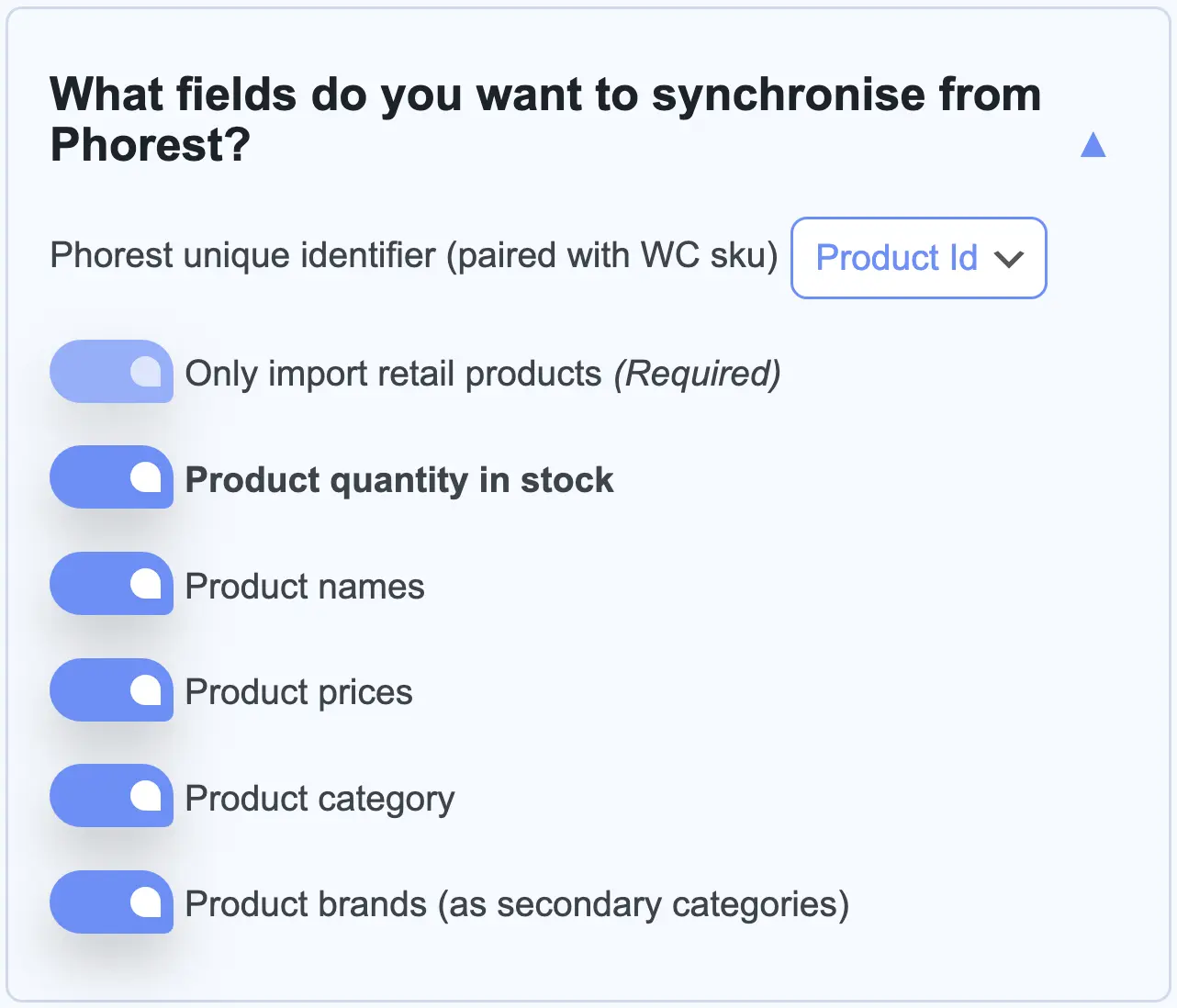
Retail products are synced to WooCommerce product SKU fields using either the Phorest Product Id or Barcode unique identifiers ensuring that WooCommerce product information is always up-to-date.
Includes optional stock quantities, names, prices, categories & brands.
WOOCOMMERCE UPSTREAM
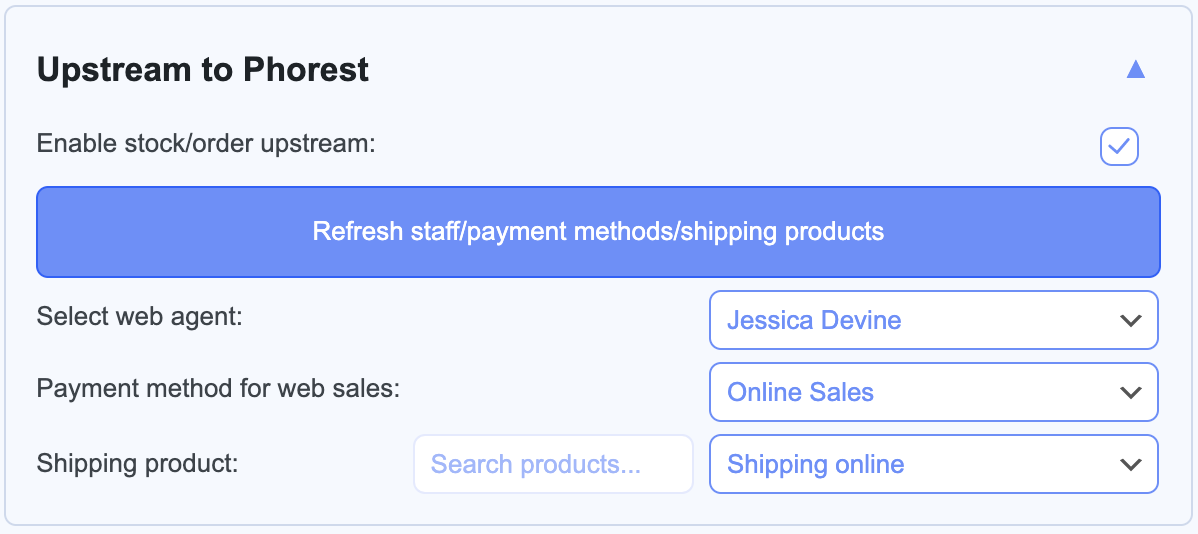
Every sale of a synced product can be sent back to Phorest as an order along with the customer's information and stock reduction. A customer Phorest already knows, by email or by mobile number, has the sale added to their record. Anyone else gets a new client record in Phorest.
SCHEDULED SYNCHRONISATION
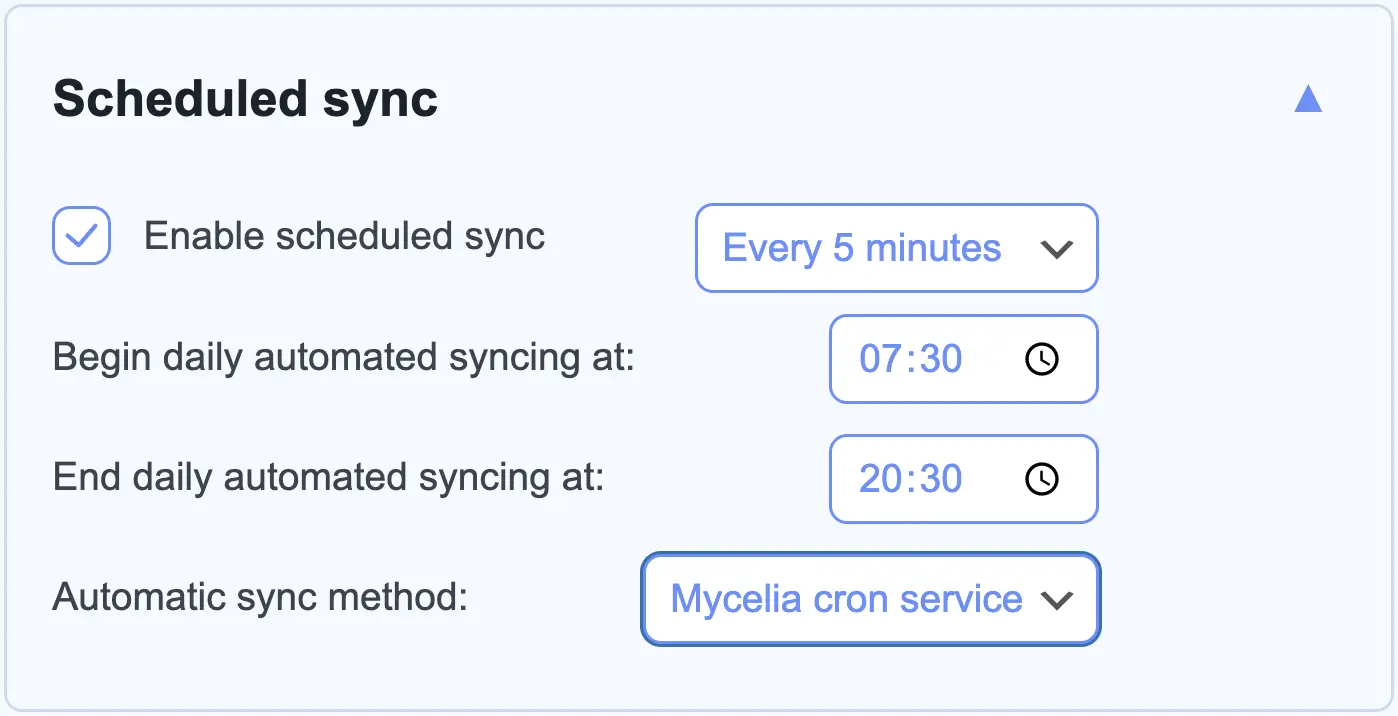
Synchronisation from Phorest to WooCommerce runs automatically on a regular interval of your choosing.
Use regular wp-cron, call Mycelia's sync address from your own cron job, or run the Mycelia WP-CLI command.
Watch Mycelia in action
Features
Sell Phorest gift cards in your shop. Each card is created in Phorest when the order is paid and its number is emailed to the person it is for
Take Phorest gift cards at checkout. The customer types the card number into the coupon box and the balance comes off the card in Phorest
Sell from more than one Phorest branch. Match each WooCommerce pickup location to a branch and every order is recorded in the right one
Show stock per branch on the product page, and refuse a click-and-collect order the chosen branch cannot fill
Coupons and sale prices reach Phorest. Each sale is recorded at what the customer paid
Pull product names, prices, stock, categories and brands from Phorest into WooCommerce, matched by barcode or Phorest product ID
Send every order to Phorest with the customer's name and address, for clients Phorest already knows and for new ones
Variable products. A variation whose SKU matches a Phorest product stays in step for price and stock
Sync stock automatically as often as you choose, within the hours of the day you set
Run the sync from wp-cron, from your own cron job through a token-protected address, or with WP-CLI
Optionally lock stock edits in WooCommerce, so Phorest is the one source of truth for your retail products
Fast: 100 products arrive in about 15 seconds, and a sync with nothing changed takes about 2
Each sync first checks whether anything changed in Phorest. If nothing did, it stops there and saves your server the work
Dry run mode shows what a sync would change before it changes anything
PHP timeout override for large catalogues, if your hosting allows it
Before you buy...
1
WHAT DOES MYCELIA PULL FROM PHOREST?
Mycelia syncs your Phorest products of type "Retail". Services, treatments and bookings are not synced. Products are uniquely identified by pairing either their Phorest barcode or Phorest product ID with a product's WooCommerce SKU.
2
HOW DO WOOCOMMERCE ORDERS WORK?
When a customer places an order, their name and address go to Phorest with the items and what they paid, coupons included, and Phorest's stock count goes down. If Phorest already has the customer, by email or mobile number, the sale is recorded against that client. If not, a new client is created.
3
IS PHOREST RESPONSIBLE FOR THIS PLUGIN?
The Mycelia plugin is developed, maintained and supported by 403 Page Labs in order to help you interact with the Phorest API. As such, Phorest/Ndever Systems Limited is not responsible in any way for this plugin nor do they endorse it. The Phorest support team cannot help with the plugin itself. Mycelia customers get direct support from us through the ticket system.
4
WHAT ELSE SHOULD I KNOW?
Mycelia needs WordPress 6.0, WooCommerce 7.1 and PHP 7.4 or later. It is tested up to WordPress 7.1 and WooCommerce 11.2, including the block checkout and High-Performance Order Storage.
Just as mycelia in a forest plays a vital role in the transfer of nutrients & information between plants and the soil, Mycelia helps to transfer information, sales data, and customer information between your Phorest system and your Woocommerce/WordPress website.